Updated October 2026 · Based on Google Search Central and Bing Webmaster documentation
You spent time and money building backlinks — guest posts, niche edits, directory listings, PR mentions. But if Google never crawls and indexes the pages those links sit on, they can’t help your rankings. In 2026, with Google being more selective than ever about what it indexes, a large share of new backlinks never get indexed at all.
This guide explains exactly how backlink indexing works, how to check whether your links are indexed, and every method you can use to get backlinks indexed fast in Google — from the official tools Google recommends to the faster options SEO professionals use today.
Key Takeaways
- Google can only count a backlink after it has crawled the page that contains it.
- Official Google tools (URL Inspection and sitemaps) only work for websites you own — not for links on other people’s sites.
- Google says crawling can take “a few days to a few weeks”, and a crawl request does not guarantee indexing.
- The fastest results come from combining strong link sources, crawl signals and a reliable indexing workflow.
- If you need links indexed quickly, our team can start processing them the same day — message us on WhatsApp.
What Is Backlink Indexing?
Backlink indexing means getting the page that contains your backlink crawled and stored in Google’s index. Google finds new pages mainly by following links from pages it already knows and by reading sitemaps. Once Google crawls a page, it decides whether the page is useful enough to keep in its index.
A backlink only becomes “visible” to Google when the page it sits on has been crawled. If the page is never crawled, Google never sees your link. If the page is crawled but Google chooses not to index it, the link usually carries little or no value. That’s why SEOs talk about “indexing backlinks” — what they really mean is getting the linking pages crawled and indexed.
How Google Discovers, Crawls and Indexes Pages in 2026
- Discovery: Google learns that a URL exists — from links on other pages, from sitemaps, or from a request in Search Console.
- Crawling: Googlebot visits the page and downloads its content. How often it crawls a site depends on the site’s size, popularity, update frequency and server speed.
- Rendering: Google processes the page, including JavaScript, to see the content a user would see.
- Indexing: Google analyses the content and decides whether to store it. Thin, duplicate or low-value pages are often crawled but left out of the index (“Crawled – currently not indexed”).
- Serving: Indexed pages can appear in search results — and the links on them can be used in Google’s ranking systems.
Google’s own documentation is clear that requesting a crawl does not guarantee a page will be indexed, and that sending the same request again and again won’t make it happen faster. That’s why the quality of the linking page matters just as much as the method you use.
Why Your Backlinks Are Not Getting Indexed
- The linking page is new and has no internal links. Orphan pages with no links pointing to them are hard for Google to find.
- Thin or duplicate content. Short, spun or copied articles are often crawled but not indexed.
- Low-quality host site. Sites that publish anything for a fee, or are full of unrelated content, get crawled less often.
- Technical blocks. A
noindextag, a robots.txt block or a canonical tag pointing elsewhere will stop the page being indexed. - Deep pages. Links buried in page 30 of a directory or a forum’s profile pages may be crawled rarely, if ever.
- The link was removed or changed. Always check the link is still live before trying to index it.
- Crawl budget limits on large sites. On very big websites, Google may take weeks to reach new pages.
How to Check If a Backlink Is Indexed
1. Use the site: search operator
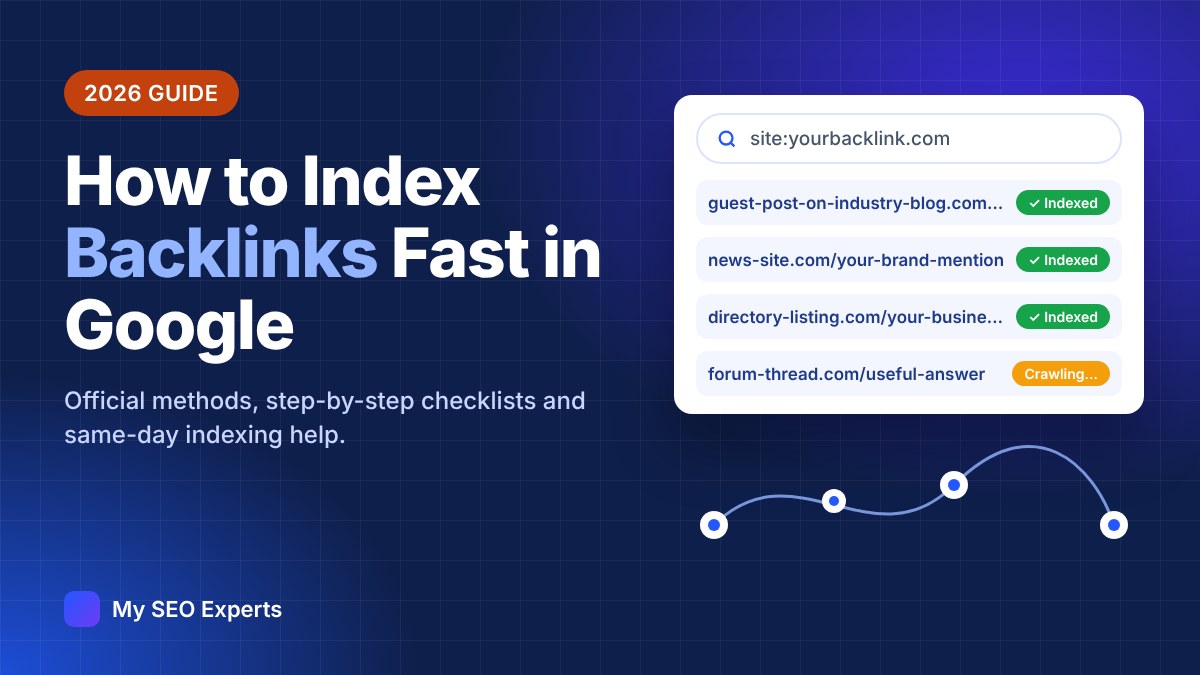
Search Google for site:example.com/exact-page-url. If the page appears, it is indexed. If you see “Your search did not match any documents”, it is probably not indexed yet. This check isn’t 100% reliable, but it is the quickest one available for pages you don’t own.
2. Search for a unique sentence
Copy a unique sentence from the linking page and search for it in quotes. If Google shows the page, it has been indexed.
3. Check the Links report in Search Console
In Google Search Console, the Links report shows the external links Google has found to your site. A new backlink appearing there means Google has seen it — although the report updates slowly.
4. URL Inspection (only for sites you own)
If the backlink is on a website you control (for example your own Web 2.0 property or a partner site where you have Search Console access), the URL Inspection tool tells you exactly whether the page is indexed and why not.
5. Use an index checker for bulk links
If you build links at scale, a bulk index checker saves hours. We include an index status report with every order of our indexing service.
How to Index Backlinks Fast in Google: 10 Methods for 2026
Method 1: Request indexing with the URL Inspection tool (sites you own)
Google’s official way to ask for a single page to be crawled is the URL Inspection tool in Search Console: paste the URL, wait for the inspection and click Request indexing. There is a daily quota, and it only works for properties you have verified. It is the best first step for links on sites you manage.
Method 2: Submit a sitemap (sites you own)
For many URLs at once, Google recommends a sitemap. Add the linking pages to an XML sitemap, submit it in Search Console and keep the <lastmod> dates accurate. Google uses sitemaps to discover new and updated pages.
Method 3: Ask the publisher to request indexing
For guest posts and sponsored articles, simply ask the site owner to submit the page in their Search Console, add it to their sitemap and link to it from their homepage or category page. Many publishers will do this if you ask politely — it’s the most “official” way to index a link on someone else’s site.
Method 4: Get internal links to the linking page
Google finds pages by following links. A guest post linked from the publisher’s homepage, a popular article or a “latest posts” widget gets crawled much faster than an orphan page. When negotiating links, always ask for internal links to your article.
Method 5: Build second-tier links from relevant pages
Linking to your backlink page from other relevant pages — your own blog, a press page, partner sites or a resource round-up — creates more paths for Googlebot. Keep these links natural and relevant; mass, low-quality “tier 2” blasts can do more harm than good.
Method 6: Share the linking page on social media and communities
Sharing the page on X, LinkedIn, Facebook, Reddit or industry forums brings real visitors and can help the page get discovered. Social links are usually nofollow, so think of this as a discovery boost rather than a ranking signal.
Method 7: Use IndexNow for Bing, Yandex and other engines
IndexNow is an open protocol supported by Bing, Yandex, Seznam, Naver and others that lets site owners notify search engines instantly when a page is added or changed. Google does not use IndexNow, but Bing does — and Bing results power Microsoft Copilot and other AI tools. If you or the publisher control the site, enabling IndexNow (many SEO plugins and CDNs support it) is quick and free.
Method 8: Improve the linking page’s quality
If a page has been crawled but not indexed, no amount of “pinging” will fix it. Ask the publisher to expand the article, add images and unique insights, fix duplicate content and make sure it isn’t blocked by noindex or robots.txt. Better pages get indexed — and pass more value.
Method 9: Use RSS feeds and content updates
Frequently updated pages and RSS feeds encourage search engines to check back more often. If you control a hub page or blog, adding new links to it and updating it regularly helps search engines discover the linked pages. On its own this is a weak signal, so combine it with the other methods.
Method 10: Use a professional backlink indexing service
When you have dozens or hundreds of links on sites you don’t control, doing all of the above manually is slow. A professional indexing service combines crawl signals, discovery paths and monitoring to get linking pages crawled quickly, and reports which links were indexed. This is where most agencies and link builders save the most time in 2026.
A Note on the Google Indexing API
You will see many tools claiming to “index anything instantly with the Google Indexing API”. Be careful. Google’s documentation states that the Indexing API can only be used for pages with JobPosting or BroadcastEvent (livestream) structured data, that Google’s spam policies apply to content submitted through it, and that users must not get around its limits, for example with multiple accounts. Even for supported pages, a successful request only means Google may recrawl the URL soon. Using it for ordinary backlinks is outside Google’s guidelines, so it isn’t a method we recommend.
Our Same-Day Backlink Indexing Service (2026)
At My SEO Experts, we run a dedicated backlink indexing service for SEO agencies, link builders, freelancers and website owners who need their links found by Google quickly. Send us your list of backlink URLs on WhatsApp and we start processing them the same day. Every link is first checked to make sure it is live and indexable, then put through our 2026 indexing workflow, which combines safe crawl signals and discovery paths — no spam blasts, and we never ask for your Google account logins.
- Same-day start: send your links and we begin processing them the same day.
- Pre-checks included: we flag links that are removed, set to noindex or blocked, so you don’t pay to index dead links.
- Index status report: you get a clear report showing which links Google has indexed.
- Any volume: from 10 links for a single client to thousands for agency campaigns.
- White-label friendly: agencies can pass our reports straight to their clients.
No one can honestly guarantee that Google will index every page — Google makes the final decision. What we guarantee is a fast start, a safe process and a transparent report. Message us with how many links you have and we’ll reply with a quote.
Get My Backlinks Indexed on WhatsApp →
How Long Does Backlink Indexing Take?
- Strong, frequently updated sites (news, big blogs): often hours to a couple of days.
- Average blogs and guest posts: usually a few days to two weeks.
- New, weak or deep pages: several weeks — or never, if the page quality is poor.
Google’s own guidance is that crawling “can take anywhere from a few days to a few weeks”. Using the methods above — or our indexing service — helps move your links toward the faster end of that range.
Common Backlink Indexing Mistakes to Avoid
- Submitting the same URL to Google over and over — it doesn’t speed things up.
- Paying for links on sites that are already being ignored by Google.
- Using spammy link blasts or auto-generated “tier 2” links to force indexing.
- Misusing the Google Indexing API for pages it doesn’t support.
- Forgetting to check that the link is still live and dofollow before indexing it.
- Only checking rankings — track how many of your links are indexed each month.
Backlink Indexing Checklist for 2026
- Confirm the link is live and the page isn’t noindex, blocked or canonicalised elsewhere.
- Check whether the page is already indexed with a
site:search. - If you own the site, request indexing in Search Console and add the page to the sitemap.
- If you don’t, ask the publisher to request indexing and add an internal link.
- Share the page on relevant social channels and communities.
- Enable IndexNow where you control the site, for faster Bing indexing.
- For large batches, use a reliable indexing service and keep the report.
- Re-check indexing after 7 and 30 days, and replace links that never get indexed.
Frequently Asked Questions
How long does it take Google to index a backlink?
Google says crawling can take anywhere from a few days to a few weeks. Links on strong, frequently updated sites are often found within hours or days, while links on new or weak pages can take weeks — or never get indexed if Google decides the page isn’t worth keeping.
Does a backlink count if the page is not indexed?
Google can only use a link on a page it has crawled. Pages Google chooses not to index usually pass little or no value, so an unindexed backlink is a wasted backlink until it is crawled and indexed.
Can I use Google Search Console to index backlinks on other websites?
No. The URL Inspection “Request indexing” button only works for pages on websites you have verified in Search Console. For links on other sites, ask the site owner to request indexing, or use the other methods in this guide.
Is it safe to use a backlink indexing service?
It depends on the method. A good service sends crawl signals to your links without spam, does not promise guaranteed rankings and reports which links were indexed. Avoid services that rely on spammy link blasts or ask for access to your Google accounts.
Should I index nofollow backlinks?
Nofollow links are a hint rather than a strict rule in Google’s systems, and they still bring referral traffic and brand visibility. Indexing them is optional — prioritise your dofollow links on relevant, high-quality pages first.
Why are some of my backlinks never indexed?
The most common reasons are thin or duplicate content on the linking page, a noindex tag or robots.txt block, the page having no internal links (an orphan page), or the whole site being low quality. In those cases no indexing method will help much — focus on better link sources.
Conclusion
Backlinks only work when Google can see them. Start with good link sources, use the official tools wherever you have access, make every linking page easy to discover, and track your index rate like any other SEO metric. And when you need a large batch of links indexed quickly, let our team handle it — we start the same day.
Sources: Google Search Central — Ask Google to recrawl your URLs; Using the Indexing API; IndexNow.org.